Scheduling a skill that isn't proven.
The most common mistake. A schedule runs your skill every day exactly as it is, flaws and all, without you watching. Prove it by hand first.

PLAYBOOK · 04 · SCHEDULE YOUR SKILL · BY MARC KLEINMANN
How to make a skill you built run on its own, before you're even awake. The three parts of a scheduled skill, the one guardrail that keeps it safe, and the actual morning briefing I run at 4:45, filled in. Written for the operator ready to stop triggering the same job by hand.
01 ·Context
You built a skill (see Playbook 03). You trigger it when you need it, and it saves you the work. This is the last step, and it is a small one: you put that skill on a schedule, so it stops waiting for you to ask and starts running on its own.
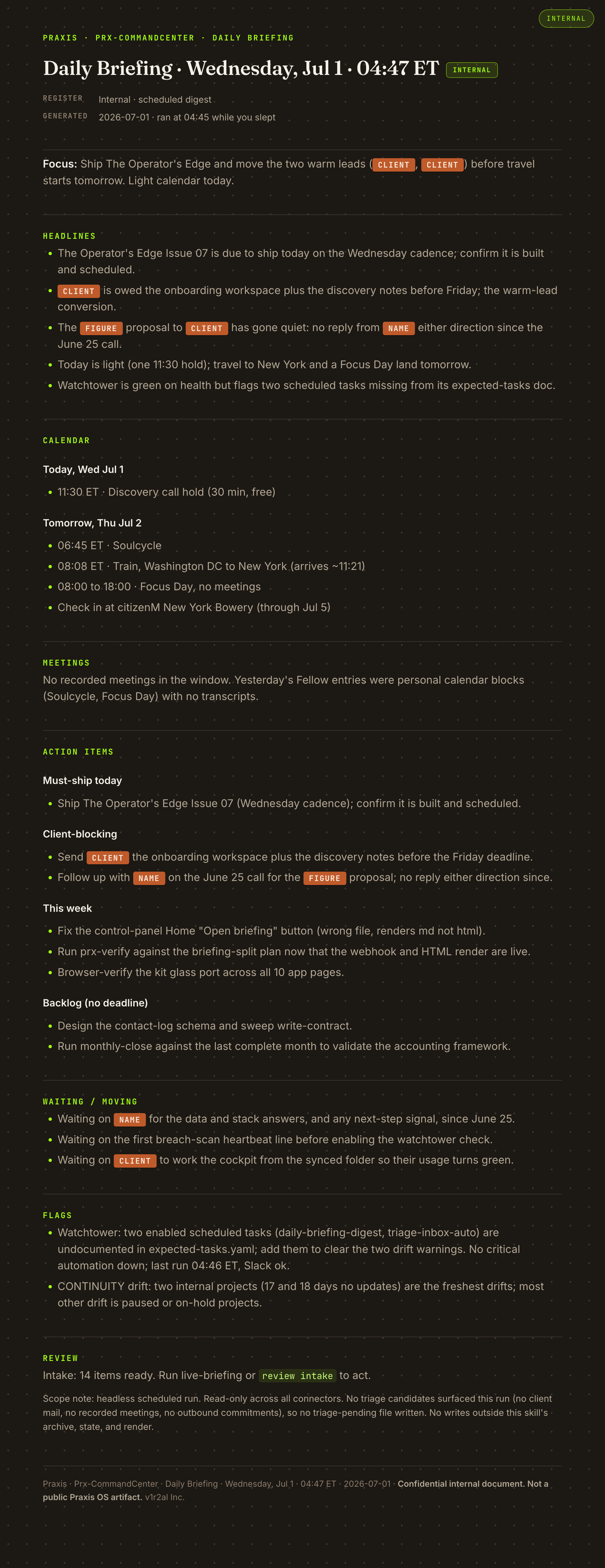
My morning briefing runs at 4:45 every day. I have not triggered it in months. By the time I am up, a single page is waiting: what matters today, what is urgent, what can wait. The gathering it does across every inbox, my calendar, my meetings, my tasks, would take me forty-five minutes by hand. Now it happens while I sleep.
One rule before anything else: only schedule a skill that already works when you run it by hand. A schedule does not fix a shaky skill. It just runs the shaky skill every day without you watching. Prove it first, then set it loose.
02 ·Architecture
A scheduled skill has three parts and one guardrail.
This is the employee you already trained.
Usually a time ("every morning at 4:45"), sometimes an event ("when a new lead comes in"). The trigger is the only thing you add to turn a skill you run into a skill that runs itself.
A short note in Slack, a page dropped in a folder. So the finished work finds you, instead of you going to look for it.
03 ·Setup
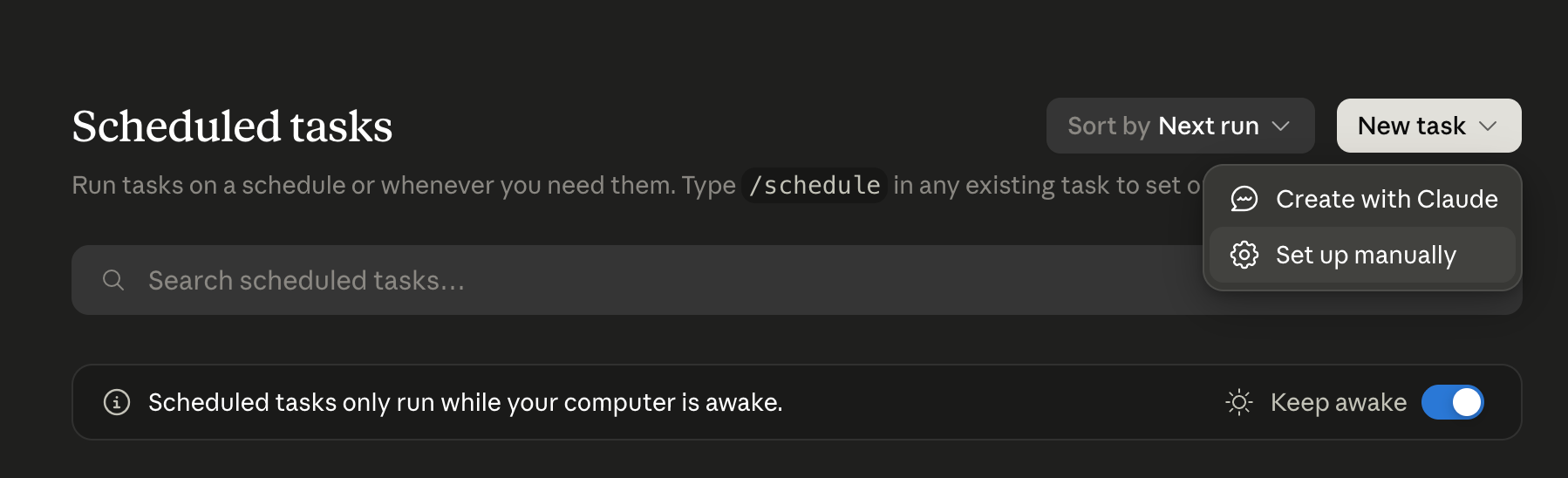
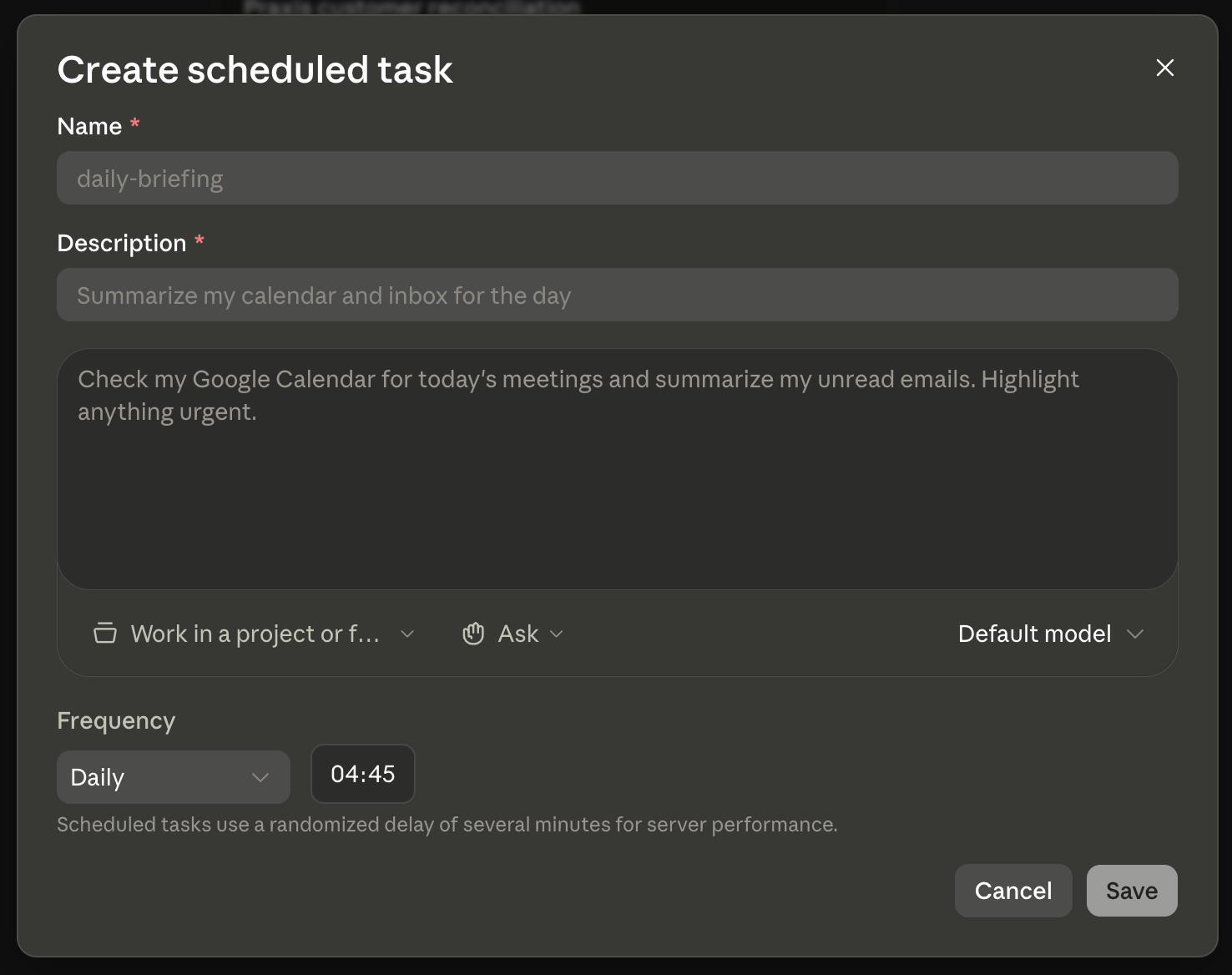
Scheduling lives in a few places. In Claude and Cowork, a scheduled task runs a saved skill on a clock. In ChatGPT, Scheduled Tasks do the same thing. In Gemini it is thinner today, so you lean on your phone or calendar. The walkthrough below is Cowork, the exact setup I use for the morning briefing.
Here is the sequence, start to finish. It schedules the morning briefing skill from the Runbook below. Screens are Cowork as of July 2026.
That is the whole setup. The hard part was never the scheduling. It was proving the skill by hand first, which you already did.
04 ·Decisions
Use a time for anything you want on a rhythm (a morning briefing, an end-of-week summary). Use an event for anything that should react the moment something lands (a new lead, a new order). Same skill, different starting gun.
Keep it at gather-and-draft. The moment a scheduled skill can act on its own, you have handed it a decision. Let it do the legwork and leave the judgment to you.
Unattended is the goal, but unattended also fails silently. Decide up front how you will know if it breaks, and build that check before you walk away.
05 ·Runbook
Two artifacts sit behind the setup above. The brief is the plain-English spec you hand to whoever builds the skill, or to Claude directly. The skill is what that brief becomes: a file that runs the same way every time. Here is both, for the morning briefing.
Start from the blank brief. Fill one line at a time.
THE JOB: [the skill you already run by hand. Be specific. "My morning briefing."]

WHEN IT RUNS: [the trigger. A time: "every day at 4:45 AM." Or an event:
"when a new lead comes in."]

WHAT IT READS: [the sources it should gather from. Inboxes, channels,
calendar, meeting notes, task list.]

WHAT IT DOES: gather and summarize only. Do not reply, send, or act.
Leave me a page or a draft to read.

WHEN IT IS DONE: [how it tells me. "Post a one-line note in Slack." "Save the
page in this folder."]
Now the same brief, filled in. This is the actual morning briefing I run.
THE JOB: My morning briefing.

WHEN IT RUNS: Every day at 4:45 AM, before I am up.

WHAT IT READS: My five email inboxes, my Slack channels, my calendar, my
meeting notes, my task list, and my text messages.

WHAT IT DOES: Gather and sort only. Rank what is urgent, what can wait, what
needs me today. No replies, no sends, no changes to anything.

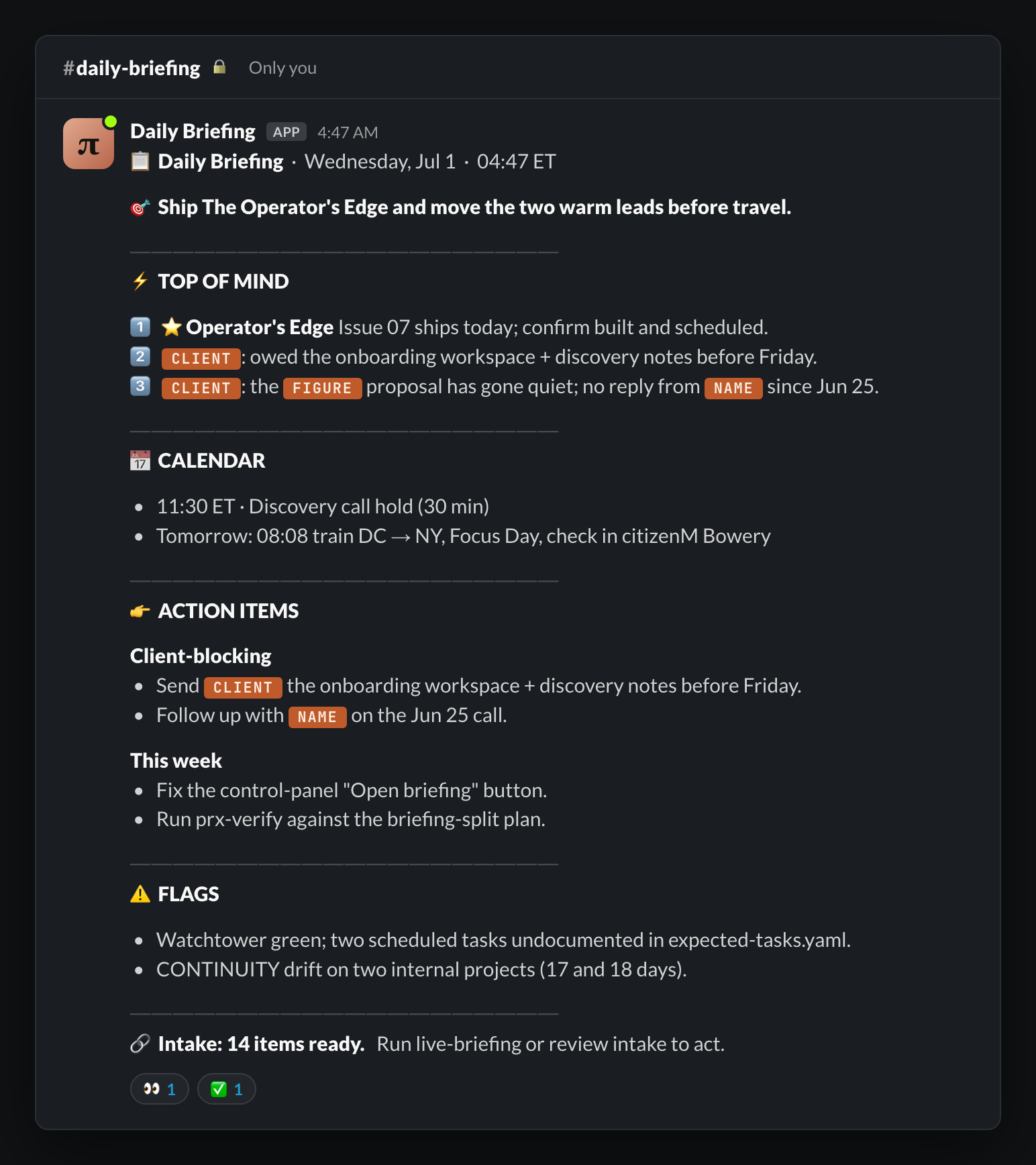
WHEN IT IS DONE: Post a one-line note in my Slack telling me the page is ready.
That brief becomes a skill. Here is the morning briefing as the skill file it actually is, the same five-step shape as Playbook 03, with my real sources named. This is the skill the setup sequence above puts on a schedule.
---
name: morning-briefing
description: My scheduled morning digest. Before I am up, it reads across my inboxes, calendar, meetings, and task list, ranks what needs me today, and posts a one-line note to Slack when the page is ready. Gather and sort only. It never replies, sends, or changes anything.
---

# Morning briefing

Purpose: every morning I want one page waiting. What matters today, what is urgent, what can wait. This skill does the gathering and the sorting while I sleep. I keep every decision.

## Before I scheduled this
I ran this by hand every morning for weeks and kept refining it until the page came out right every time. Only then did I put it on a schedule.

## When it runs
Every day at 4:45 AM, before I am up.

## Step 1: Gather
Read, in this order:
- My email inboxes.
- My Slack channels.
- My calendar for today and tomorrow.
- My meeting notes from yesterday.
- My task list.
Pull out what is new, what changed, and what is waiting on me.

## Step 2: Sort
Rank everything into what needs me today, what can wait this week, and what is just noise. Lead with the one thing that matters most.

## Step 3: Compose the page
Load my writing rules first. Then write one scannable page: a one-line focus at the top, today's calendar, yesterday's meetings, and the ranked action list. Specifics, not adjectives.

## Step 4: Stay read-only
Gather and draft only. No replies, no sends, no changes to any inbox, task, or file. This is a hard rule, not a preference.

## Step 5: Signal when done
Post a one-line note in my Slack that the page is ready, and save the page where I read it. Do nothing else.
Read them in order and the path is clear. The brief is the spec. The skill is the spec given a name and a home. The schedule is the skill given a clock.
06 ·Gotchas
The most common mistake. A schedule runs your skill every day exactly as it is, flaws and all, without you watching. Prove it by hand first.
The moment a scheduled skill sends or decides on its own, you have given away the judgment call. Keep it at gather-and-draft.
A skill that runs silently is a skill you forget exists until the day it matters. Have it tell you when it is done.
Unattended work fails unattended. Without a check on it, you find out weeks later that the report quietly stopped arriving.
07 ·What's next
One scheduled skill changes your morning. A few of them change your operation.
The next rung is a scheduled skill that does real follow-through: a recorded meeting that writes its own CRM update, Slack recap, and drafted email while you approve. See Playbook 05, Meeting follow-through.